Under tonight's moon
Dreams fade in minutes.
Yours won't.
A dream journal for the half-asleep moment. Murmur or type what you saw before it slips away, and it becomes a private, searchable memory of the people, places, and signs that keep coming back.
Free on iOS and Android · Open the web app
How it works
What a dream becomes
01 Capture
Catch it before it fades
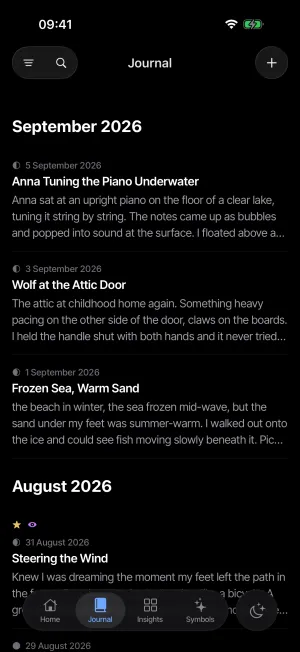
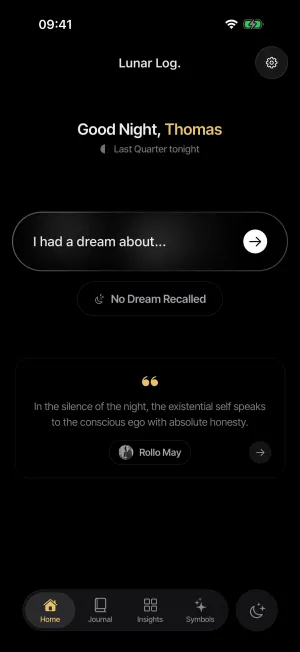
Open it half-asleep and start talking, or type with your eyes barely open. Three words counts as an entry; finish it over coffee. The recording is kept alongside the words, so months later you can hear yourself tell it again.
- Voice capture, eyes closed
- Your own voice, kept to replay
- Saves every keystroke, offline
- A blank night logs in one tap
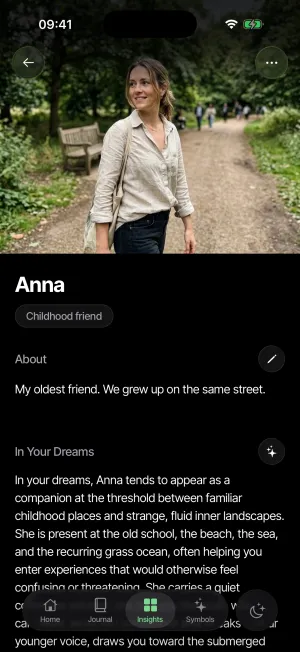
02 Gather
The people who keep coming back
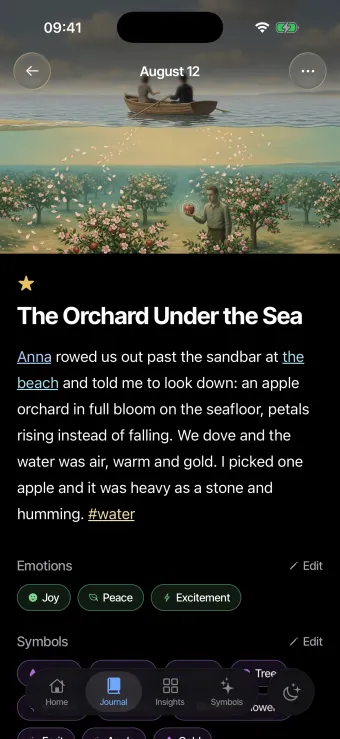
Write @Anna or @the beach once and they become places of their own, each holding every dream they ever appeared in. Months later the thread is still there to pull.
- People, places, and tags build themselves
- Every mention keeps its history
- Search the whole journal at once
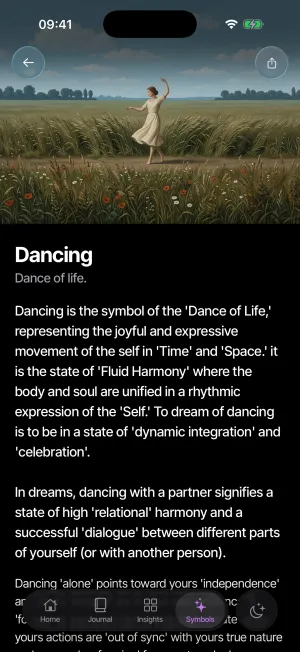
03 Go deeper
A second reading, when you want one
Interpretations grounded in your own journal instead of a dream dictionary, and Luna, a companion that has actually read it. Optional, never in the way, never the point. This layer is the one part that will be paid; the journal itself stays free.
- A library of 500+ Jungian dream symbols
- Symbols drawn from your entries
- Luna knows what you wrote
- A reading only when you ask for one
For the third of your life you've been forgetting
-
Built for 3 a.m.
Opens instantly, saves every keystroke, and takes a murmur with your eyes closed, recording and all. Nothing ever stands between you and your own words.
-
It won't lose them
Every dream is written to your device first and stays there. It works with no signal at all, and an account only ever adds a copy across your devices. It never takes the original away.
-
It organizes itself
@Anna, @the beach, #recurring. People, places, and dream signs gather into profiles with their own histories. Search everything.
-
Patterns, not prophecy
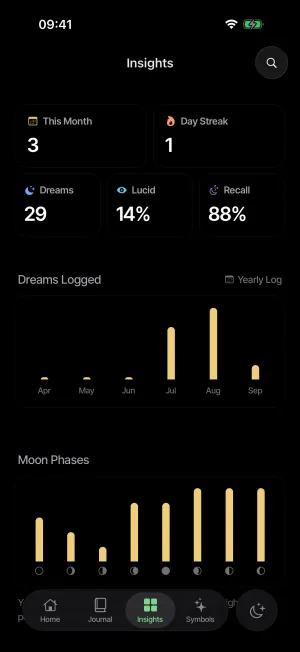
Recall rate over time, recurring signs, moods, and how your nights move with the moon. It finds the thread from a dream you wrote months ago.
-
Private by design
A lock of its own, separate from your phone's. No social feed, no sharing prompts, no dream walls. Your nights are not content.
-
Yours to walk away with
One tap hands you the lot: every dream as a Markdown file that drops straight into Obsidian or Notes, plus a complete structured copy. Free forever, no strings.
No tricks
- Writing and reading your own journal is free, always.
- Full export in one tap, never behind a paywall.
- No ads. Not now, not ever, not in a dream journal.
- No account needed to start. It can live on your device.
- Nothing you have already written is ever locked away.
- The optional AI layer is the only part that will be paid.
Questions, answered plainly
- What is Lunar Log?
- A dream journal app for iOS, Android, and the web. You capture dreams by voice or keyboard the moment you wake, and it organizes them into a private, searchable journal of the people, places, and signs that come back.
- Is it free?
- Journaling is free, forever. Writing, reading, organizing, searching, and exporting your own journal are never paywalled and never metered. The optional AI layer, the part that interprets and connects, is the one thing that will be paid.
- Could I lose my dreams?
- That is the thing this whole category has broken people's trust on, so it is where the app starts. Your journal is written to your own device and works with no signal and no account. Without an account your phone is the only copy; an account keeps a synced one that survives a lost phone, and either way one tap gives you a backup of your own. Account or no account spells out the difference.
- What if I don't remember anything?
- There's a button for that. A blank night logs in one tap, it keeps your streak going because showing up is the habit, and it never counts as a dream in your stats. Your recall rate is measured against the mornings you actually logged.
- Can I record dreams by voice?
- Yes. Press once and talk, so you can log one with your eyes shut and no light on. The recording is always free and always kept. Writing it down for you, the transcript, is part of Pro, and even then the audio stays: hearing your own voice pulls the dream back in a way that reading it doesn't.
- Is it good for lucid dreaming?
- Yes. Recurring dream signs surface from your own entries, the journal tracks recall and streaks over time, a gentle morning reminder catches the dream before your day does, and voice capture works with your eyes closed. Reality-check reminders are on the roadmap.
- Can I write from a real keyboard?
- Yes. The web app is the same journal in a browser, for daytime editing, rereading, and the longer conversations with Luna a phone keyboard discourages, with everything you captured on your phone already there. Open it at app.lunarlog.me.
- How do I get my dreams out?
- One tap, any time, free. You get every dream as a plain Markdown file, ready for Obsidian, Notes, or a printer, plus a complete structured copy of the whole journal. No lock-in, no hostage-taking, no account required to take it with you.
- Who is building it?
- One developer, out in the open, still building. This corner of the App Store is full of journals whose makers walked away — this one is actively worked on, and a mail to hello@lunarlog.me reaches a person.
Something to read before you sleep
The app is on your phone; the writing is here. Start with how to remember your dreams, how to keep a dream journal you'll actually use, or why voice beats a pen at 3 a.m. If you are deciding whether to sign in, account or no account spells out exactly what changes.
And when a dream leaves something behind, Carl Jung's way of reading it is the one the app follows, and the dream symbols library reads the most commonly dreamed images through a Jungian lens: the snake, teeth, falling, the house. And because the feeling is often the clearer clue, emotions in dreams reads what it means when a dream is full of fear, anxiety, sadness or love.
Start your dream journal tonight.
Free to journal, forever. No account needed to start.
Free on iOS and Android · Open the web app · On a laptop? Scan a code.